Obby’s Game: Chop Trees in the Forest
Tap to Play
Loading game...
Tap to Play
Loading game...
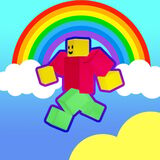
Play the online game Obby: Chop Trees in the Forest for free. Platform: Web browser (PC, mobile phones, and tablets) Technology: webgl. Works in all modern browsers Fullscreen support Age rating: 3+ How to play? Use WASD or cursors to move. Run to the blue portal, which will take you to the forest. Approach the trees, and Obby will automatically chop them down. Chop trees and look for hidden chests. Once you’ve found everything, click the red button to return to the lobby. There, click “Open” to see what’s in the chest. The items you’ve found will appear in the compartment on the left. It could be a sword, a cleaver, or something else. Then open your inventory, click on the cleaver, and select “equip and continue.” Return to the forest and continue chopping. When the bar at the bottom fills with green, you’ll complete the level. Return to the lobby and inspect your treasures. To find out which weapons are more powerful, filter by strength and grab the best ones. In the main hall, go to the store and buy bombs, potions, and other items to increase your chopping efficiency. Use the money you earn to buy new chests.
Game Controls: Movement Jump