Acerca de Children’s Coloring Juego
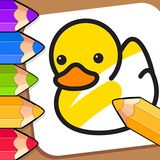
Children’s Coloring is a free online coloring-books-for-children game you can play right in your browser, with no download needed. Kids Coloring has only two modes. One mode allows you to color existing drawings.
To do this, simply select the drawing you want to color by selecting it from the drawing panel. In the second mode, you’ll be presented with a blank white sheet of paper where you can draw something and then color it. Colored pencils and paints are available for kids.
Creating a drawing from scratch is easier with a pencil, choosing the desired color from the palette. After creating your drawing, use a brush with a larger area to complete the piece. In both modes, your child’s masterpiece can be saved to your computer for printing later. If you want to correct the drawing or delete it, use the trash can button. The game is controlled using the mouse.
Fans of Children’s and Coloring Pages games will feel right at home here, and the quick rounds make it easy to play for a few minutes or settle in for a longer session.
How to play? The game is controlled with Mouse. Learn the controls, then jump in and play.
Controles del Juego: Ratón
Platform: Web browser (PC, mobile phones, and tablets). Technology: HTML5. Works in all modern browsers. Fullscreen support. Age rating: 3+.
Keep Playing
If you enjoyed Children’s Coloring Game, you may also like Colorful Coloring Pages for Kids. You can find more games like this in coloring-books-for-children.
Cómo Jugar
Controles del Juego: Ratón