Acerca de Pixel Count Juego: DIY Coloring Pages
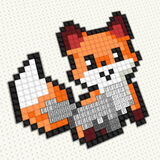
Pixel Count Game is a free online coloring pages game you can play right in your browser, with no download needed. Click the arrows at the top to scroll through the sections. Drag the picture section up to see the full selection.
Go to the “Game” section and color Mario, Steve from Minecraft, and Sonic. Color various superheroes in the section of the same name. Color Ballerina Cappuccino, a shark in sneakers, Labooba, Sprunky, and others.
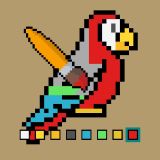
Click on the picture to open the coloring page. Use the zoom wheel to zoom in and out, revealing the numbered squares. Click on the paint with the number 1 and use it to color the squares with the same number. To make your task easier, the game will highlight all the areas with that number. This is a painstaking task and will require attention and perseverance. Left-click and drag the paint path to reveal all the colors.
Fans of Coloring Pages games will feel right at home here, and the quick rounds make it easy to play for a few minutes or settle in for a longer session.
How to play? The game is controlled with Mouse. Learn the controls, then jump in and play.
Controles del Juego: Ratón
Platform: Web browser (PC, mobile phones, and tablets). Technology: webgl. Works in all modern browsers. Fullscreen support. Age rating: 3+.
Keep Playing
If you enjoyed Pixel Count Game: DIY Coloring Pages, you may also like Pixel Art Workshop game and Diamond Mosaic Game. You can find more games like this in coloring games by cells.
Cómo Jugar
Controles del Juego: Ratón