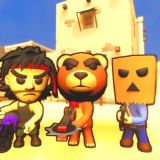
Acerca de Minecraft Noob Archer Juego
Minecraft Noob Archer is a free online archery puzzle game you can play right in your browser, with no download needed. You play as Noob, a blocky archer in a Minecraft-style pixel world, and your job is to clear every level of zombies with nothing but a bow and a limited supply of arrows. There are 150 levels to work through, starting with simple tutorial stages and building up to puzzles where one well-placed arrow has to do the work of three.
This is a fan-made game inspired by Minecraft. It is not an official Minecraft game, and it is not made or endorsed by the makers of Minecraft. What it borrows is the blocky look and the playful spirit, and what it adds is a careful physics puzzle built around the bow.
About Minecraft Noob Archer
In Minecraft Noob Archer you join Noob Archer for 150 levels, completing the task set in each one. The first few levels are tutorial-based and introduce you to aiming, shooting and the way arrows fly. After that, every level asks you to destroy all the enemies on screen, and the number of enemies and the number of arrows you are given changes from level to level.
The enemies are zombies, and later levels often give you fewer arrows than there are zombies, so you cannot simply shoot one arrow per enemy. You have to make each arrow count, by lining up two enemies in a single shot, bouncing an arrow off a surface to reach a zombie behind cover, or aiming at objects in the level that can help you, such as a falling crate or an exploding bomb.
The game is a physics puzzle as much as a shooting game. Arrows are affected by gravity and momentum, and they can bounce off surfaces, so the angle of your shot matters as much as your aim. A level is a small puzzle to solve before you ever loose an arrow: look at the layout, spot the crates and bombs, and work out the shot that clears the most zombies.
Cómo Jugar
Each level shows you the zombies, the objects in the scene and the number of arrows you have, which you can monitor on the left side of the screen. Study the layout first. Look for zombies standing in a line, for walls you can bounce an arrow off, and for crates and bombs that can take out enemies for you.
To shoot, use the mouse to aim and then fire. Hold the mouse button to draw the bow, aim at your target or at the surface you want to bounce from, and release to loose the arrow. Sometimes the arrow should fly directly at an enemy. Sometimes it needs to be aimed at an object on the playing field, such as a falling crate or an exploding bomb, that will help destroy the enemies for you.
If you destroy every enemy, the level is complete and you move on to the next one. If you run out of arrows with zombies still standing, the level restarts and you can try a different plan. New rounds become increasingly difficult, so the tricks you learn early on will matter more and more as you progress.
Controles
The game is controlled with the mouse on a computer. Move the mouse to aim, hold the left mouse button to draw the bow, and release to fire. Dragging your aim back toward the character resets the bow tension without wasting an arrow. On a phone or tablet, aim and shoot with taps on the touchscreen. There are no keyboard controls to learn.
Menus and level selection use simple clicks or taps, so you can jump straight into the next level.
Tips and Strategy
Never waste an arrow. Before every shot, ask what the arrow will do after it hits its first target. An arrow that passes through two lined-up zombies is worth twice as much as one that hits a single enemy, and an arrow that sets off a bomb can clear a whole group at once.
Use the level against the zombies. Look for crates that will fall on enemies, bombs that will explode near them, and walls that will bounce your arrow around a corner or behind cover. The direct shot is not always the best shot, and the levels are designed to reward players who use the scenery.
Reset instead of firing a bad shot. If your aim feels wrong, drag the aim back to the character to reset the bow tension without losing an arrow. It is better to take a moment and re-aim than to waste one of a limited supply on a shot you already know will miss.
Game Details
Minecraft Noob Archer runs in HTML5 in your web browser on PC, mobile phones and tablets, and it works in all modern browsers with fullscreen support. There is nothing to download and no account to create. The game is rated age 3 and over. On the distributor listing it has been played 63,307 times and received a rating of 4.3 out of 5, with 210 votes. It was developed by Vanorium and Artur Stogney and released in August 2023.
The game sits in the Minecraft games category, and its short levels make it easy to play for a few minutes or to keep going through the 150-level campaign. Fans of Minecraft, Mini Games and Bows games will feel right at home here.
FAQ
Is Minecraft Noob Archer an official Minecraft game?
No. It is a fan-made game inspired by Minecraft, with a blocky pixel art style. It is not an official Minecraft game and it is not made or endorsed by the makers of Minecraft.
Is Minecraft Noob Archer free to play?
Yes. It is free to play in your browser, with no download and no sign-up needed.
How many levels are there?
There are 150 levels in total. The first few levels are tutorials that teach you how to aim and shoot, and the later levels get steadily harder.
What happens if I run out of arrows?
If you run out of arrows with zombies still standing, the level restarts and you can try again with a different plan. Keep an eye on your arrow count on the left side of the screen.
How do I shoot?
Move the mouse to aim, hold the left mouse button to draw the bow, and release to fire. QUERY LENGTH LIMIT EXCEEDED. MAX ALLOWED QUERY : 500 CHARS You can find more games like this in Minecraft games.
Cómo Jugar
Controles del Juego: Ratón