About BlockCraft Together game
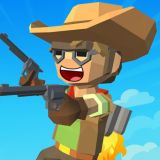
BlockCraft Together is a free online minecraft game you can play right in your browser, with no download needed. To enter single-player mode, press the green “Single” button. For a two-player game, click the blue “Together” button.
In single-player mode, use “WASD” to move. Jump with “Space.” Attack or break blocks with LMB or “F.” “Q” changes items. “R” opens your backpack.
When you select an item from your backpack, such as a pickaxe or dynamite, the resources needed for crafting are displayed below. Collect them, then press the crafting button next to them. In the two-player mode, the screen is split into two sections. Each player plays in their own section. The second player uses the cursors to move. “K” attacks, “J” switches items, and “Ctrl” jumps.
It runs in your browser and you can start playing straight away, so it is a good choice when you have a few minutes to spare.
How to play? The game is controlled with Movement, Jump, Mouse, Block, Destroy, Change, Item. Learn the controls, then jump in and play.
Game Controls: Movement, Jump, Mouse, Block, Destroy, Change, Item
Platform: Web browser (PC, mobile phones, and tablets). Technology: webgl. Works in all modern browsers. Fullscreen support. Age rating: 3+.
Keep Playing
If you enjoyed BlockCraft Together game, you may also like Mini Mine game and Feed All the Monsters game in Minecraft. You can find more games like this in Minecraft games.
How to Play
Game Controls:MovementJumpMouseBlockDestroyChangeItem