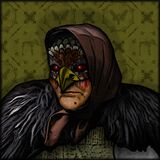
About Game Forgotten Hill Disappointment: Chapter 2 Flora and Fauna
Game Forgotten Hill Disappointment is a free online quest game you can play right in your browser, with no download needed. When the game starts, a first-person view of one of the many rooms will open on the screen, which the player will explore. Don’t rush from one room to another.
It’s important to carefully examine everything in sight. If you need to examine an object closer or zoom in on a certain part of the room, click on that object or part of the room. The player will also have the opportunity to collect various items found in the rooms.
They will later help solve numerous puzzles that await the player in certain rooms. You can place an item in your inventory by simply clicking on it. All inventory slots are located at the bottom of the screen. Whenever the player needs any item in their inventory, they should also click on it.
Fans of Quests, Escape and Scary games will feel right at home here, and the quick rounds make it easy to play for a few minutes or settle in for a longer session.
How to play? The game is controlled with Mouse. Learn the controls, then jump in and play.
Game Controls: Mouse
Platform: Web browser (PC, mobile phones, and tablets). Technology: HTML5. Works in all modern browsers. Fullscreen support. Age rating: 16+. This game has been played 26,542 times and received a rating of 4.4 out of 5, with 57 votes.
Keep Playing
If you enjoyed Game Forgotten Hill Disappointment: Chapter 2 Flora and Fauna, you may also like Game Forgotten Hill Disappointment: Chapter 2 Flora and Fauna and Escape the Scary Room Game. You can find more games like this in quest games.
How to Play
Game Controls: Mouse